 Small Fern
DueLoop
Keep every subscription, bill and free trial in one place, and get a reminder before each one is due.
- iPhone and iPad, iOS 17 or later
- Free, no ads
- No account
Know what's due, before it's charged
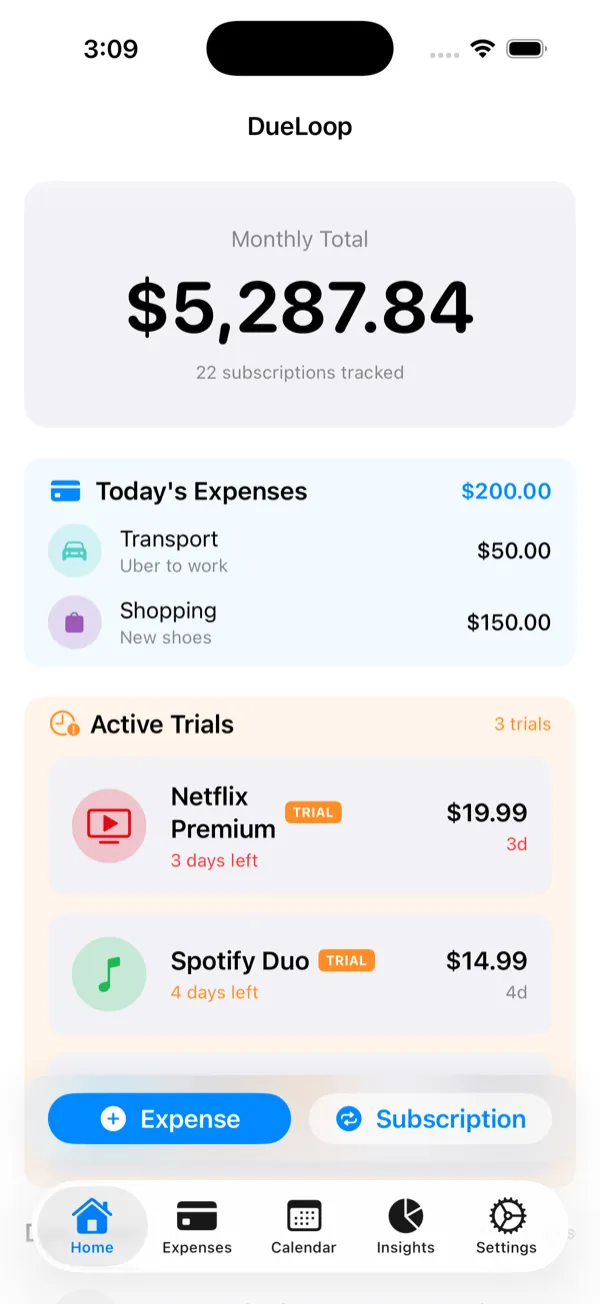
Add a subscription once and DueLoop works out when it's next due, adds it to the calendar and reminds you ahead of time. Reminders are scheduled on your device, so they work offline.
Quick to add
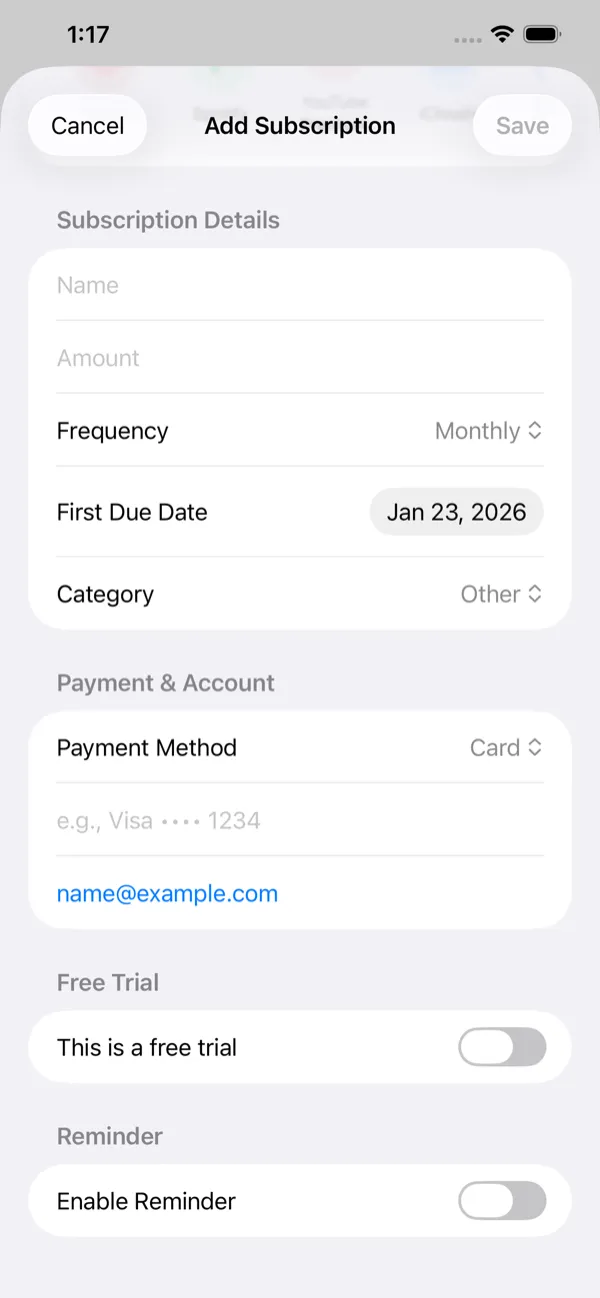
Choose from 60 popular services, such as Netflix, Spotify, ChatGPT Plus and iCloud+, or add your own with an amount, category and weekly, monthly, quarterly or yearly billing.
Reminders your way
Get a notification 1, 3, 7 or 14 days before a payment is due, or several of those.
Free trials
Mark a subscription as a trial and DueLoop alerts you 7, 3 and 1 days before it ends and on the day, so you can cancel in time.
A calendar of payments
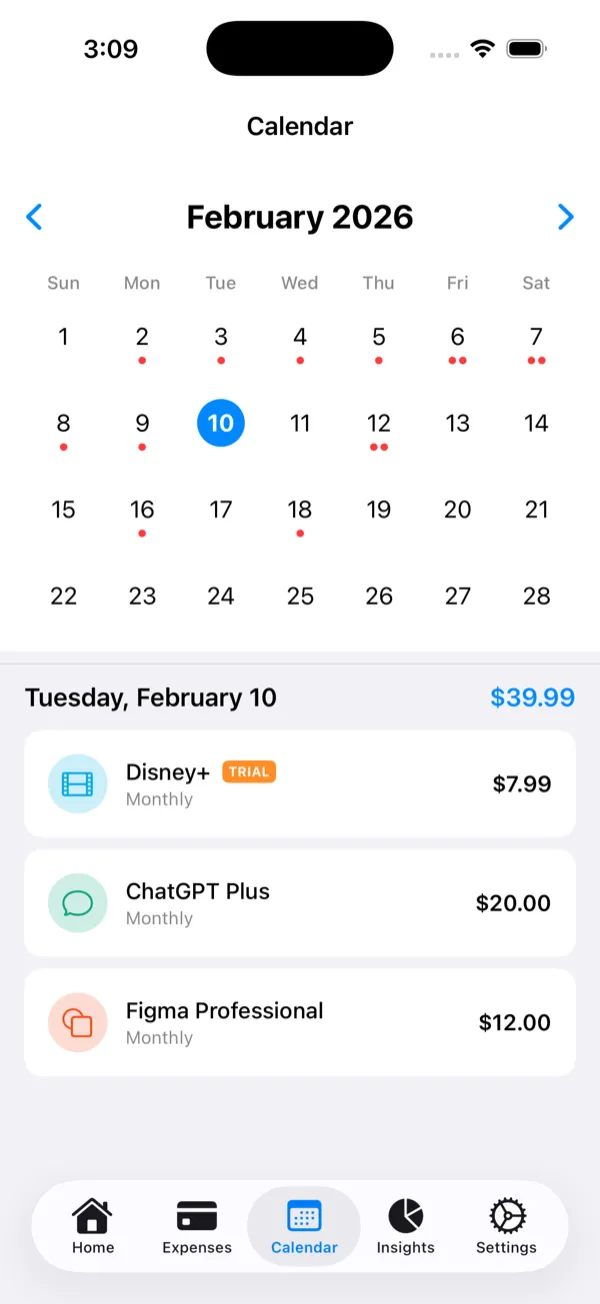
A month view with a dot on every due date. Tap a day to see what's due and the total.
One-off expenses
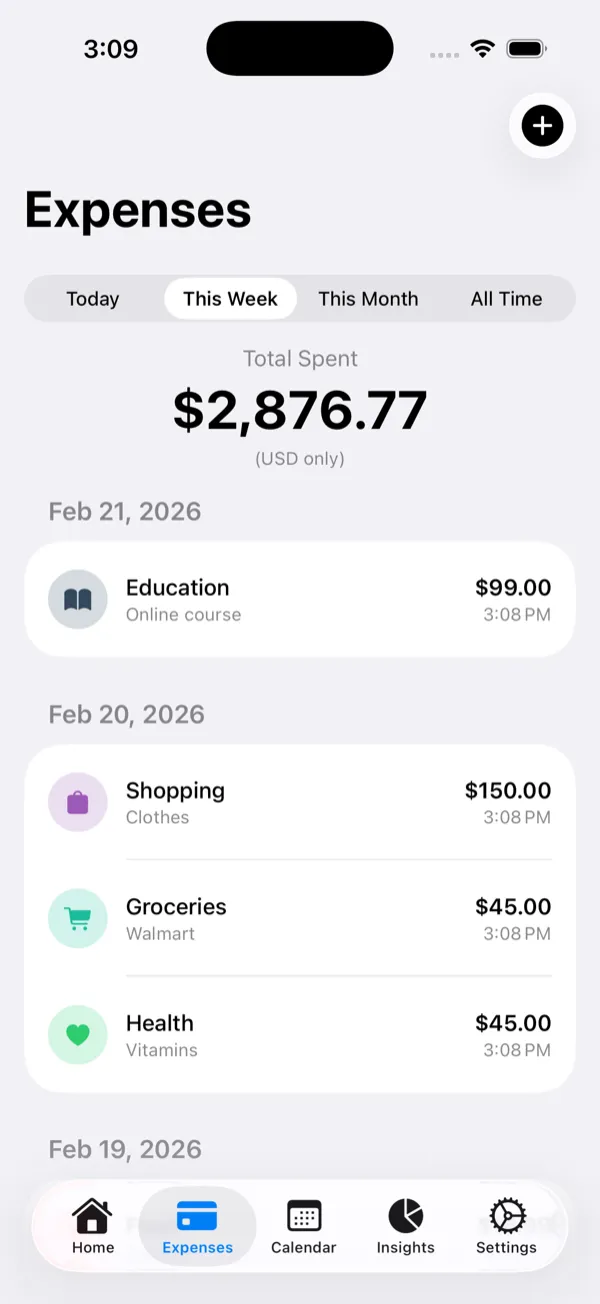
Log everyday spending in 15 categories and filter it by today, this week or this month.
Insights and a budget
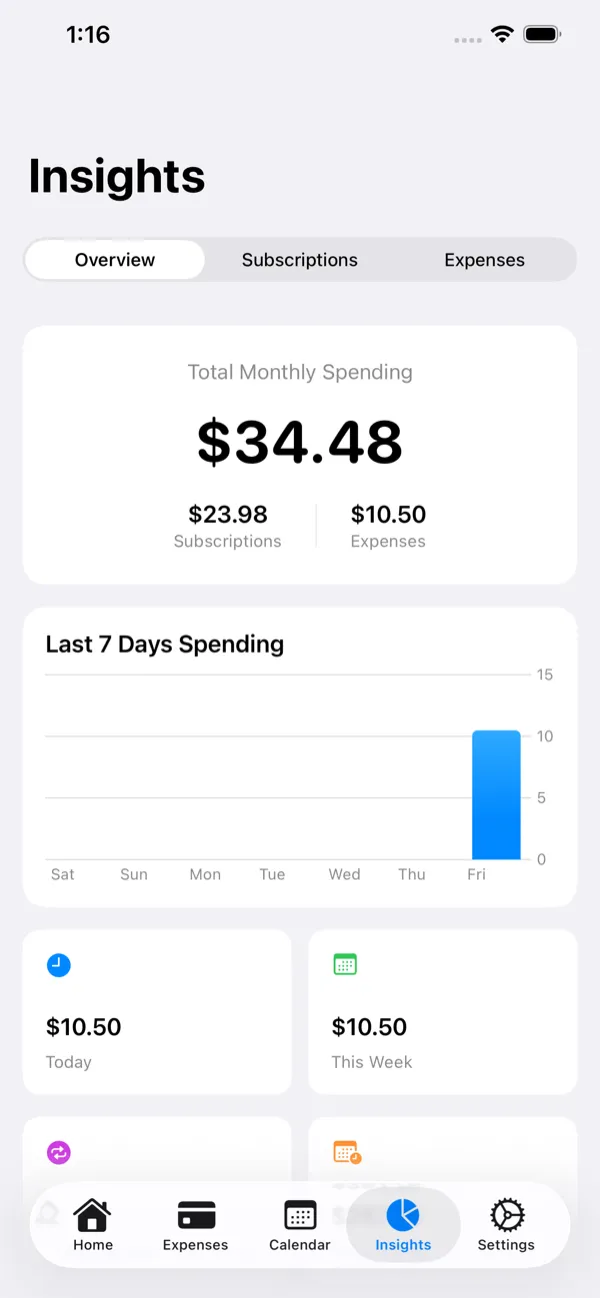
Charts of your monthly spending, the last seven days and each category. Set a monthly budget and the bar turns orange at 80% and red when you go over.
Home Screen widgets
Small, medium and large widgets show your monthly total, your subscriptions and free trials, and the bills coming up.
Any currency
Give each subscription its own currency, and show totals in one of ten: USD, EUR, GBP, JPY, CAD, AUD, CHF, CNY, INR or BDT.
Six languages
English, Spanish, German, French, Swedish and Hindi, switchable inside the app.
Private and free
No account, no server, no ads and no in-app purchases. Everything you enter stays on your device. Privacy policy
Questions
Is DueLoop free?
Yes. There are no ads and no in-app purchases.
Do I need an account?
No. There is no sign-up and no server. What you enter is stored on your device, and the App Store privacy label reads Data Not Collected.
Can DueLoop cancel a subscription for me?
No. DueLoop keeps track of your subscriptions and reminds you before they renew; you cancel with the service itself.
How do reminders work?
Each subscription can remind you 1, 3, 7 or 14 days before its due date. Free trials get alerts 7, 3 and 1 days before they end and on the day. Allow notifications when DueLoop asks.
Does it work on iPad?
Yes, on iPhone and iPad with iOS or iPadOS 17 or later, with a layout made for the larger screen.
Details
- Requires
- iPhone or iPad with iOS 17 or later
- Price
- Free, no in-app purchases
- Privacy
- Data Not Collected
- Languages
- English, French, German, Hindi, Spanish, Swedish
- Help
- Support, Privacy policy and Terms