 Small Fern
ScreenPulse
Block distracting apps until your focus session ends. Pick the apps, start the timer, and they stay blocked even if you close ScreenPulse.
- iPhone, iOS 18 or later
- Free, with optional Premium
- No account, no tracking
Focus sessions that actually block
ScreenPulse uses Apple's Screen Time to block the apps, categories and websites you choose. iOS enforces the block, so closing ScreenPulse doesn't lift it. When the timer ends, everything opens again.
Eight ready-made sessions
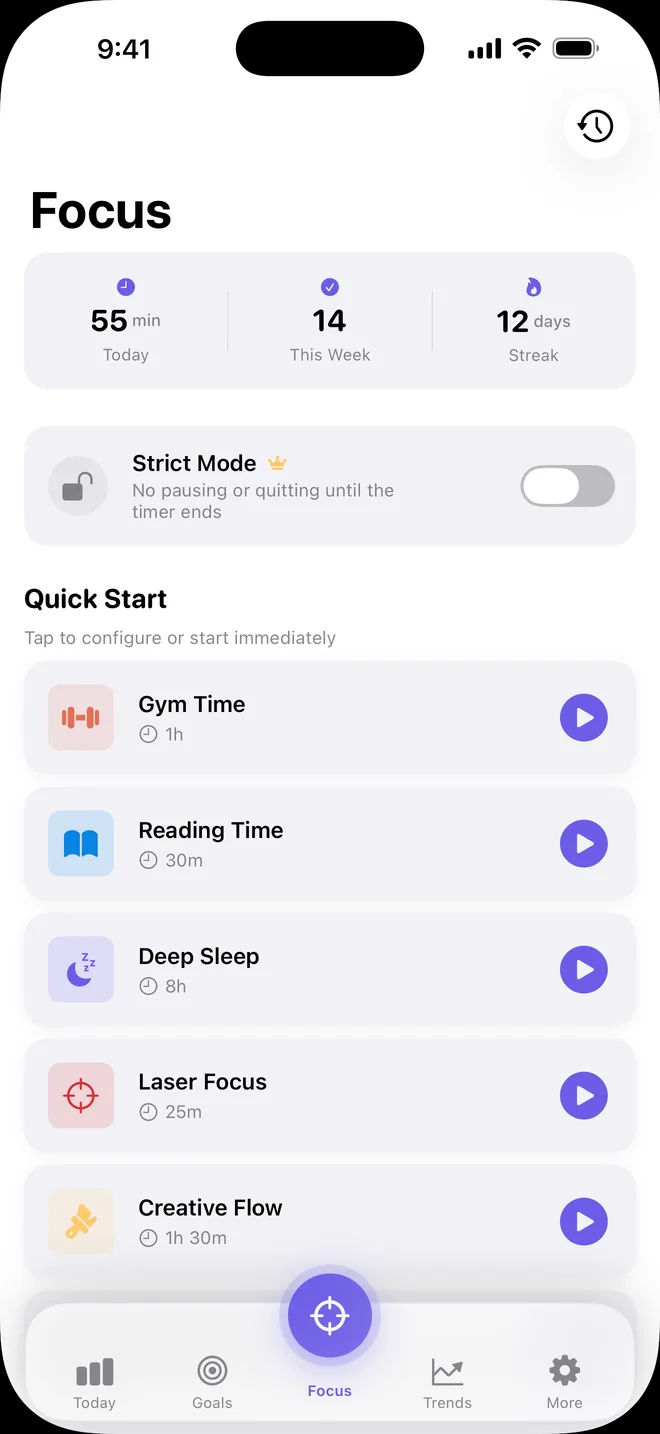
Laser Focus (25 minutes), Work Mode, Reading Time, Creative Flow, Gym Time, Mindfulness, Digital Detox and Deep Sleep. Keep the default length or pick one from 15 minutes to 2 hours.
A Struggling button
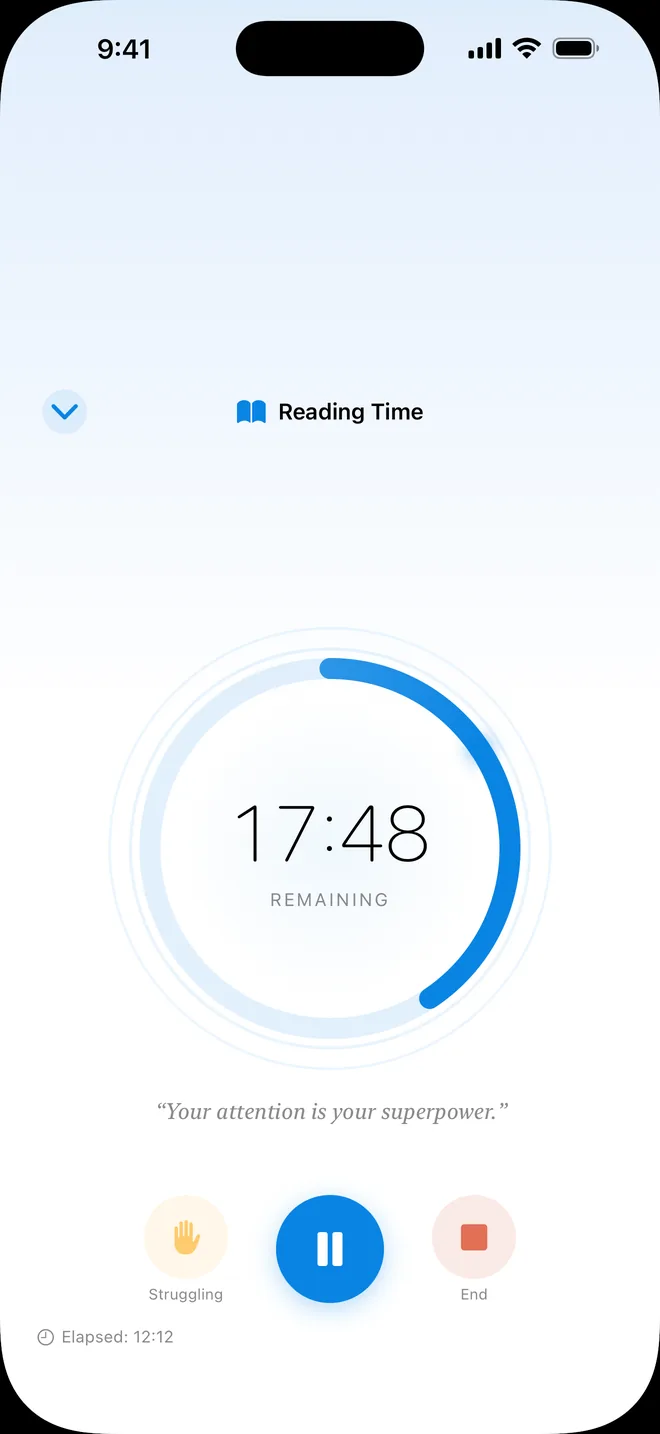
Tempted to quit? One tap adds five more minutes and a nudge to keep going, instead of ending the session.
Streaks and a daily goal
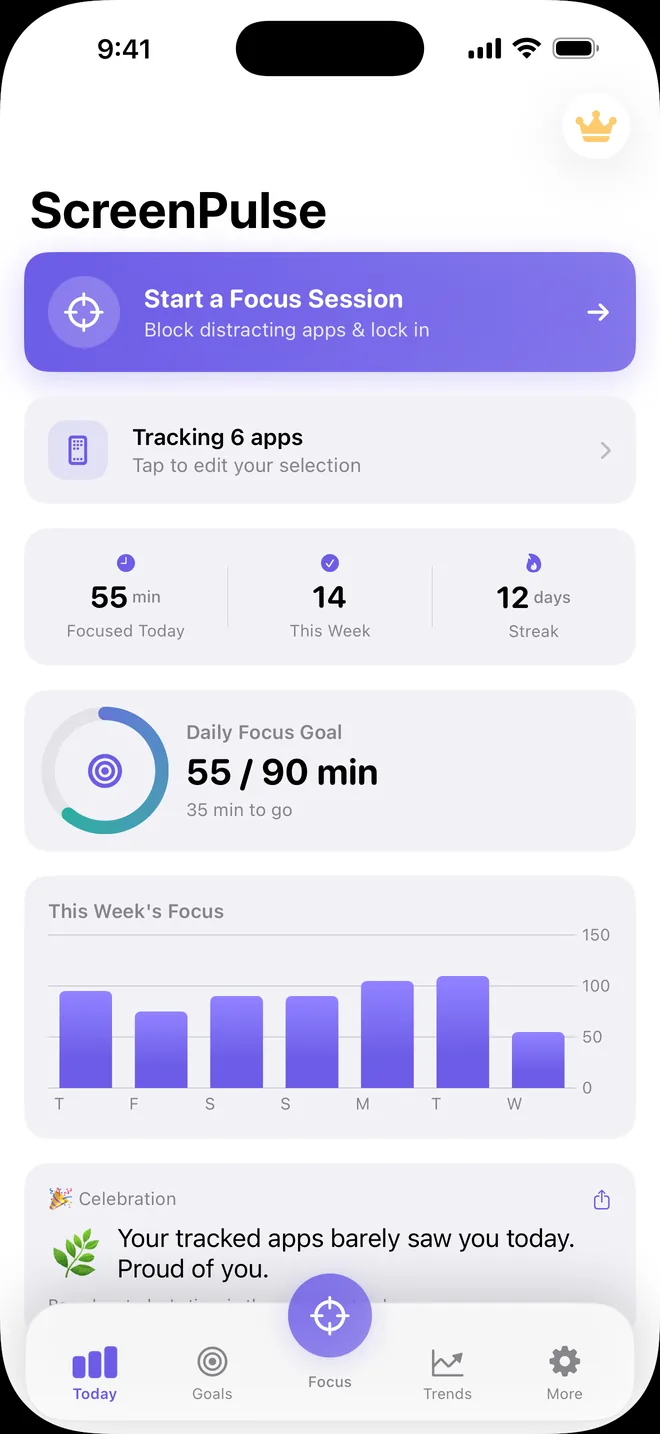
Every day with a finished session adds to your streak. Set a daily goal from 15 minutes to 4 hours and watch the ring fill.
On your Lock Screen
A Live Activity counts down on the Lock Screen and in the Dynamic Island. Home Screen widgets show today's minutes, your streak and a running session.
A daily roast
A light-hearted line about the time you spent in the apps you track. On iPhones with Apple Intelligence, it is written on the device.
Screen Time at a glance
Apple's Screen Time report for your tracked apps, shown inside ScreenPulse. iOS draws it; ScreenPulse can't read or store those numbers.
Premium, if you want more
Everything above is free. Premium is an optional subscription, monthly or yearly, with a one-week free trial on the yearly plan. Prices show in your currency before you buy.
Strict Mode
Pause and End stay locked until the timer runs out.
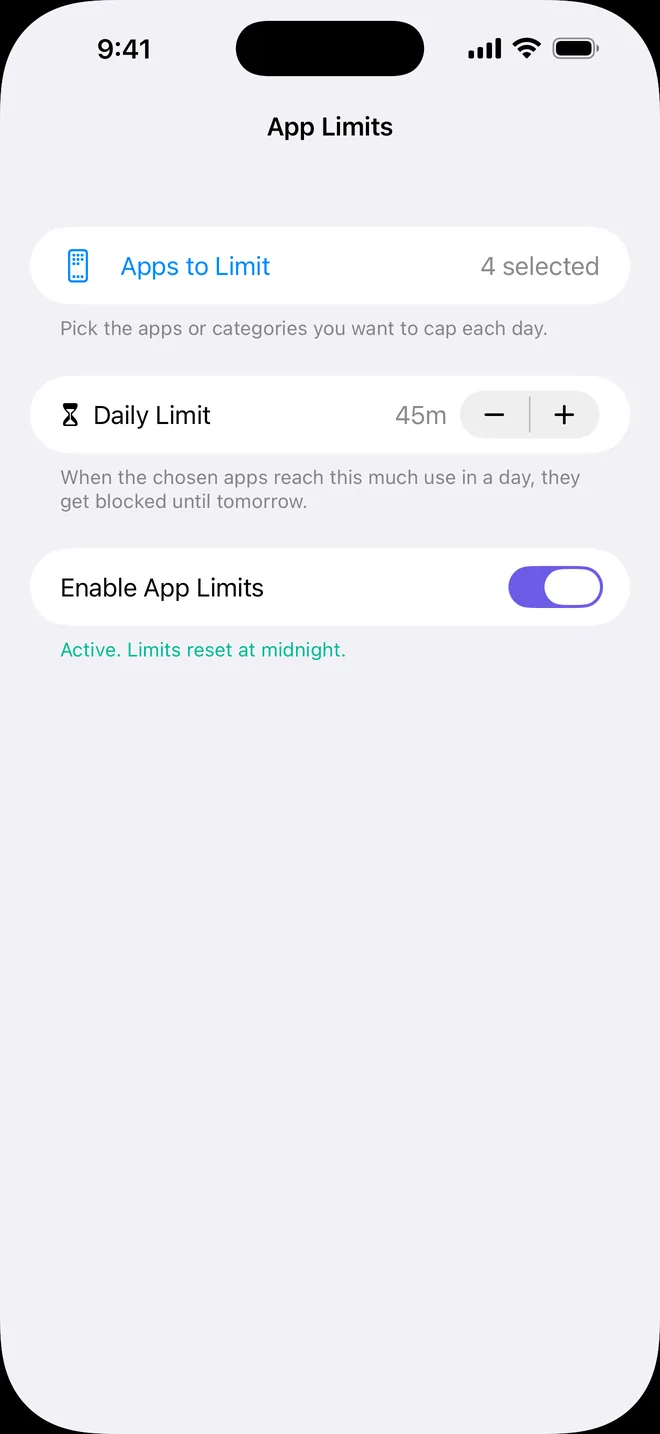
App Limits
Give a group of apps a daily time limit. Once it's used up, they're blocked until midnight.
Your own sessions
Create and save sessions from 15 minutes to 8 hours, and get a reminder at the time you set.
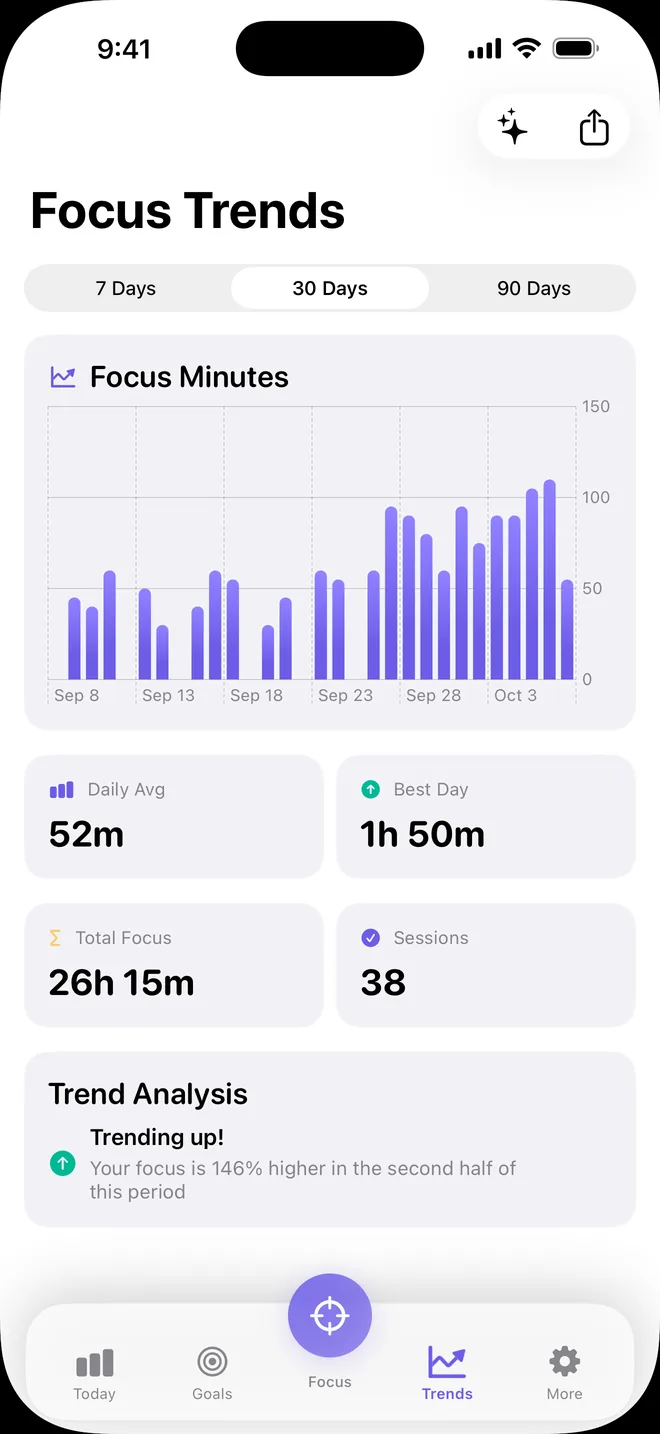
Longer trends
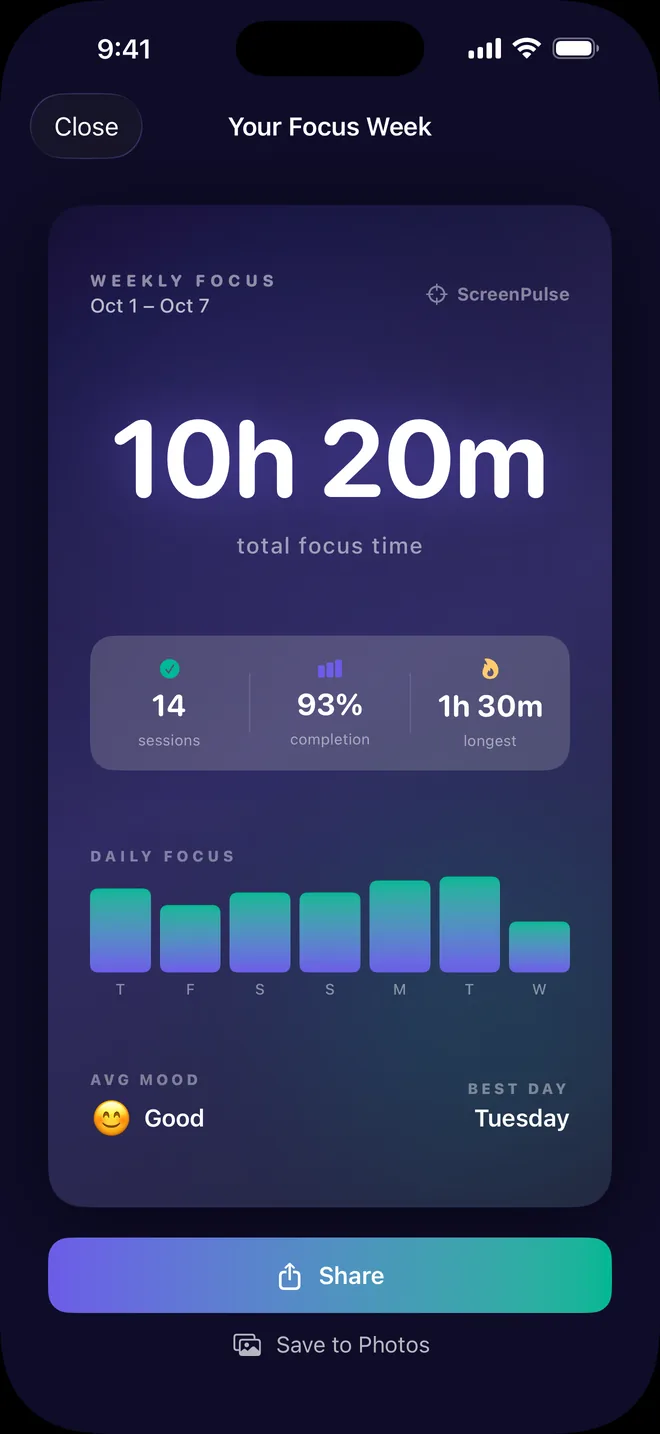
30- and 90-day focus trends, a Weekly Wrapped recap, a focus card to share, and CSV export of your history.
Private by default
No account, no server, no ads and no analytics. Your sessions, goals and app choices stay on your iPhone. The App Store privacy label reads Data Not Collected. Privacy policy
Questions
Do blocks stay on if I close the app?
Yes. iOS enforces them through Screen Time, and they lift by themselves when the timer ends.
Can I end a session early?
Yes, with End. If you turn on Strict Mode (Premium), Pause and End stay locked until the timer runs out. The Struggling button still works, but it adds five minutes rather than ending the session.
Why doesn't ScreenPulse show how long I used each app?
Apple keeps detailed app usage private. iOS draws the Screen Time report you see in the app, and ScreenPulse can't read or store it. Its own statistics come from your finished focus sessions.
Do I need an account? Where is my data?
No account. Your data stays on your iPhone, with no server and no iCloud sync, so deleting the app deletes your history. Premium is tied to your Apple Account; Restore Purchases brings it back after a reinstall.
How do I cancel Premium?
Open Settings, tap your name, then Subscriptions, then ScreenPulse, at least 24 hours before it renews. Deleting the app does not cancel the subscription.
Does it work on iPad?
No. ScreenPulse is for iPhone with iOS 18 or later, and Screen Time needs to be turned on.
Details
- Requires
- iPhone with iOS 18 or later, Screen Time turned on
- Price
- Free; Premium is an optional monthly or yearly subscription
- Privacy
- Data Not Collected
- Age rating
- 4+
- Help
- Support, Privacy policy and Terms